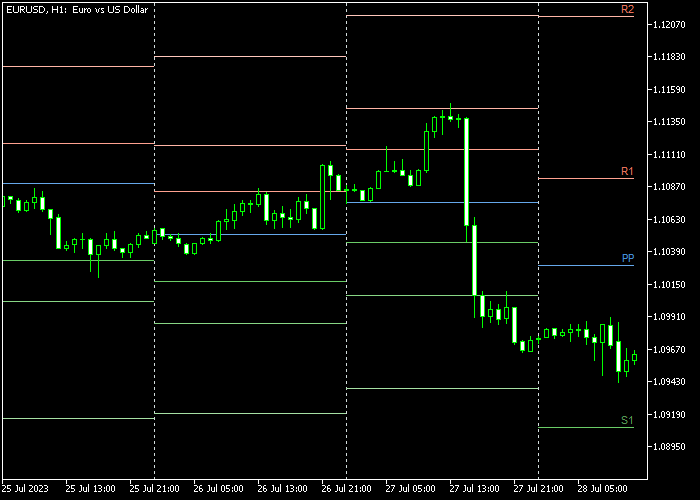
The All In One Pivot Points indicator for Metatrader 5 shows the pivot point and all accompanying support and resistance levels on the price chart.
It automatically calculates and presents these levels for the upcoming trading day.
To gauge bullish and bearish trade sentiment using this tool, follow these guidelines:
- When the candle is positioned above the day’s pivot point, the trend is considered bullish.
- When the candle is positioned below the day’s pivot point, the trend is considered bearish.
The All-In-One Pivot Points indicator supports any trading instrument available on the MetaTrader 5 platform.
Additionally, you have the flexibility to customize the indicator inputs and parameters, such as the calculation method, period, levels, number of periods, colors, and line style, according to your preferences.
Before implementing this indicator in your live trading, it is recommended to become familiar with its functionality and behavior by testing it first on a demo account.
Free Download
PivotPoints.All-In-One.mq5 Indicator (MT5)
Chart Example
The following chart shows what the All In One Pivot Points indicator looks like when applied to the MT5 chart.

How To Buy And Sell Forex Pairs With The All-in-One Pivot Points Indicator?
Find a simple trading example below:
Buy Signal
- A buy signal is confirmed when the candle closes above the blue colored PP pivot point from below.
- Open a buy transaction and place a protective stop below the S1 support level.
- Exit the buy trade at the R1, R2, or R3 resistance levels.
Sell Signal
- A sell signal is confirmed when the candle closes below the blue colored PP pivot point from above.
- Open a sell transaction and place a protective stop above the R1 resistance level.
- Exit the sell trade at the S1, S2, or S3 support levels.




